
What is WP Reset?
WP Reset is a WordPress plugin that helps you quickly reset your site to its default state without reinstalling everything. It’s ideal for developers and designers who need to test, rebuild, or clean up websites fast. With features like snapshots, emergency recovery, and plugin collections, WP Reset makes managing WordPress sites safer and more efficient.
Use Cases of WP Reset:
WP Reset isn’t just a plugin—it’s a practical solution for WordPress users who want speed, safety, and simplicity. Whether you’re a developer, designer, or site manager, here are some real-life ways WP Reset can make your workflow smoother:
- Website Development & Testing
Building or experimenting with a new theme or plugin? WP Reset lets you wipe the slate clean in seconds so you can work in a fresh environment—no manual reinstall needed.
- Troubleshooting & Debugging
If something breaks or conflicts arise, you can easily revert to a working state using snapshots or recovery tools. This saves time and prevents panic.
- Client Site Preparation
After experimenting and making changes, reset everything to deliver a clean, optimized site to your clients—no clutter or leftover test data.
- Training & Demo Sites
Running workshops or courses? Use WP Reset to reset your training website after each session, so it’s ready for the next group without hassle.
- Instant Plugin & Theme Bundles
Skip the repetitive installs—WP Reset’s Collections let you launch your go-to plugins and themes in bulk with a single click, streamlining every new project setup.
- Emergency Recovery
If your site becomes inaccessible or corrupted, WP Reset’s recovery tools can help you regain control and restore functionality fast.
Key Features of WP Reset:
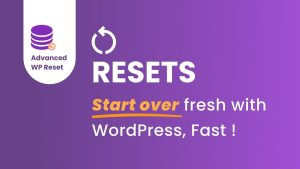
WP Reset is more than just a reset button. It’s a full toolkit for WordPress professionals who need flexibility, control, and safety while working on their sites. Here’s what makes it powerful:
- One-Click Site Reset
Easily return your site to a fresh WordPress installation—without the hassle of reinstalling everything manually.
- Snapshots for Safe Experimenting
Before making big changes, take a snapshot of your site. If something goes wrong, roll back instantly to that safe point.
- Emergency Recovery Script
Locked out of your site? This script helps you regain access and restore your site, even when plugins or themes crash everything.
- Plugin & Theme Collections
Save your favorite plugin/theme bundles and install them all at once. Perfect for developers managing multiple projects.
- Cleaning Tools
Wipe test data, remove unused options, and declutter your database without touching important settings.
- Whitelabel Option
Use WP Reset on client sites with your own branding—perfect for agencies and freelancers delivering professional work.
- Cloud Integration
Store your Collections and Snapshots securely on the cloud and access them from any project or location.
- Automatic Snapshots
Set up auto-snapshots before plugin/theme updates to avoid issues and restore stability with ease.
Pros of WP Reset
- Speeds Up Development
Developers can reset sites or deploy plugin/theme stacks in seconds, streamlining project workflows.
- Safe Testing Environment
The snapshot feature allows you to experiment confidently—test plugins, updates, or themes without risking the live site.
- Instant Recovery from Errors
With the Emergency Recovery Script, you can fix critical site issues even if you’re locked out of the WordPress dashboard.
- Ideal for Multiple Projects
The Collections feature is a major time-saver if you manage multiple websites or frequently set up new ones.
- Data Cleanup Made Simple
Remove junk data, revisions, and unused entries in just a few clicks—keeping your site lean and optimized.
- Beginner-Friendly UI
Despite being powerful, WP Reset offers a clean, intuitive interface that’s easy to use even for non-tech users.
- White-Labeling for Agencies
You can use your own branding when delivering projects to clients, giving your work a professional finish.
Cons of WP Reset
- Risk of Data Loss if Misused
If you’re not careful, using the reset or cleanup tools without creating a snapshot first can result in permanent data loss.
- Limited Use for Non-Developers
Many of its advanced features are best suited for developers or power users—casual bloggers might not use them fully.
- No Backup Integration
WP Reset isn’t a full backup solution. While snapshots help, they’re not substitutes for off-site or cloud backups.
- Learning Curve for Beginners
Though the UI is friendly, understanding the depth of features like collections, snapshots, and recovery tools may take some time.
- Pro Version Needed for Key Features
The free version is quite limited—most useful tools like white-labeling, cloud snapshots, and Emergency Recovery Script require the Pro plan.
WP Reset on AppSumo: Deals, Plans & Pricing
WP Reset is available on AppSumo as a lifetime deal, making it a cost-effective choice for WordPress professionals.
Here’s what you get:
– One-time payment: No recurring monthly fees.
– Full access to WP Reset Pro features.
– Lifetime updates & support included.
– Stackable licenses: Get more activations and site usage by stacking additional codes.
Typical AppSumo Deal Includes:
– Use on 1–5 websites (varies by code tier).
– Cloud storage for snapshots (10GB+ depending on plan).
– Access to premium tools like:
– Emergency Recovery Script
– White-labeling
– Plugin/theme collections
– Cloud integration
– Automatic snapshots
Why It’s a Good Deal:
Instead of paying yearly for similar tools, you pay once and unlock pro-level site management features forever.
Who Is WP Reset Best For?
Who Should Use WP Reset?
WP Reset is a powerful tool, but it’s especially useful for certain types of WordPress users. Here’s who can benefit the most:
- WordPress Developers
If you’re constantly building or rebuilding sites, WP Reset makes it easy to clean up, test, or restart your environment in seconds.
- Freelancers & Agencies
Managing multiple client websites? Use plugin/theme collections, white-labeling, and snapshots to streamline your workflow and maintain consistency across projects.
- Technical Support Teams
Need to troubleshoot or fix broken sites quickly? The Emergency Recovery Script is a lifesaver for getting sites back up without logging into the dashboard.
- Site Testers & QA Teams
Running multiple tests or plugin/theme combinations? Instantly reset your WordPress environment without reinstalling from scratch.
- WordPress Enthusiasts
Even if you’re not a pro, WP Reset gives hobbyists a safe way to experiment and learn without breaking their entire site.
Alternatives to WP Reset:
Top Alternatives to WP Reset
While WP Reset is a popular and powerful tool, it’s not the only option for managing WordPress resets and development environments. Here are a few alternatives worth considering:
- WP Rollback
Perfect for reverting plugins and themes to previous versions. It doesn’t reset your site but helps you troubleshoot compatibility issues by rolling back updates.
- Advanced WordPress Reset
A lightweight plugin that resets your database to its original state. Ideal for developers who want a clean slate without any extra features.
- WordPress Reset by WebFactory (Lite Version)
This is WP Reset’s free version. It offers basic reset functionality, good for users who don’t need premium features like snapshots or collections.
- Local by Flywheel
While not a reset tool, Local offers a powerful local development environment for testing changes before pushing them live, helping you avoid site crashes.
- Duplicator
More focused on site cloning and migration, Duplicator can be helpful for resetting environments by deploying fresh site backups.
- ManageWP
A broader site management tool that includes backup, restore, and cloning features — useful for managing multiple sites, though not focused solely on resets.
Each alternative has unique strengths, so the right one depends on your specific needs — whether it’s resetting, rolling back, or full site management.
Summary:
WP Reset stands out as a powerful tool for quickly restoring WordPress sites to a clean state, but several alternatives offer unique features that might better suit your workflow. From simple rollback plugins like WP Rollback to comprehensive site management tools like ManageWP, these options provide various ways to manage, reset, or test your WordPress environment efficiently. Choosing the right tool depends on your specific needs—whether you want quick resets, version control, or full site management capabilities.
Discovet Our All Appsumo Deals Review