What is RTILA – RPA & Web Automation?
RTILA is a versatile RPA (Robotic Process Automation) and web automation tool that enables users to automate repetitive tasks across websites without any coding knowledge. From data extraction and form submissions to click sequences and login flows, RTILA helps simplify complex workflows with its visual drag-and-drop interface.
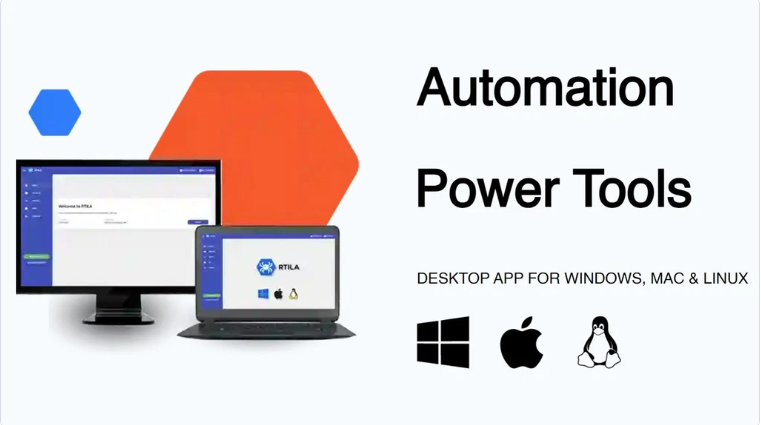
It’s more than just an automation tool—RTILA allows users to turn their automation scripts into standalone desktop applications. This opens the door for developers, marketers, and entrepreneurs to not only automate their work but also monetize it by creating software solutions for others.
Whether you’re managing lead generation, data scraping, or process automation at scale, RTILA offers a powerful platform to streamline your tasks efficiently.
Use Cases of RTILA – RPA & Web Automation
- Data Scraping & Mining
– Extract structured data from websites like product listings, pricing, or contact info automatically.
- Lead Generation
– Collect leads from directories, LinkedIn, or web forms without manual effort.
- Competitor Tracking in E-commerce
– Monitor your competitors’ product availability, pricing updates, and promotions automatically to stay ahead in the market without manual checking.
- Form Filling Automation
– Auto-fill and submit forms for surveys, registrations, or job applications.
- Login & Session Automation
– Automate secure logins and repeated tasks inside member-only portals.
- SEO & Web Audits
– Run automated website checks or SEO audits across multiple domains.
- Social Media Actions
– Schedule or trigger interactions on platforms like Instagram, Twitter, or Facebook.
- Custom Software Creation
– Package your automations as standalone apps for clients or resale.
- Repetitive Admin Tasks
– Automate data entry, updates, or reporting across web-based dashboards.
- Testing Web Applications
– Simulate user actions for QA testing or bot behavior analysis.
Key Features of RTILA – RPA & Web Automation
- No-Code Workflow Builder
– Drag-and-drop interface to create automation flows without programming knowledge.
- Browser-Agnostic Functionality
– Automate tasks across various Chromium-based browsers like Chrome, Brave, or Edge without compatibility issues.
- Advanced Data Scraping
– Extract structured data from dynamic websites using smart selectors.
- Custom Desktop App Export
– Compile your automation into standalone, rebrandable software for distribution or sale.
- Multi-Page & Multi-Site Automation
– Automate actions across different web pages or even multiple websites in one flow.
- Schedule & Loop Automations
– Run automations on repeat or set specific schedules for hands-free operation.
- Secure Credential Handling
– Store and manage login details safely for automating secure portals.
- Command Line & API Support
– Integrate with other tools or run automations through command-line scripts.
- Cloud & Local Execution Options
– Choose between running automations on your machine or deploying to the cloud.
- Regular Updates & Community Support
– Active development team and strong user community ensure ongoing improvements and help.
Pros of RTILA – RPA & Web Automation
- User-Friendly, No-Code Interface
– RTILA offers an intuitive drag-and-drop builder that allows anyone—even without programming skills—to create complex web automations with ease.
- Time-Saving Automation
– Handles repetitive tasks efficiently, freeing up time for more strategic work.
- Highly Customizable
– Offers flexible workflows and advanced features for tailored automation.
- One-Time Purchase
– No monthly fees; lifetime access makes it cost-effective for long-term use.
- Monetization Opportunities
– Compile automations into white-label apps you can brand and sell.
- Supports Complex Tasks
– Can handle multi-step actions, loops, conditional logic, and cross-site workflows.
- Works Offline
– Automations can be executed locally without constant internet dependency.
- Strong Community & Updates
– Regular improvements and an active user community for support and inspiration.
Cons of RTILA – RPA & Web Automation
- Learning Curve for Beginners
– While it’s no-code, understanding automation logic and workflows may take time for new users.
- Limited Cloud Integration
– Heavier reliance on local execution; cloud automation features are still growing.
- Occasional Site Compatibility Issues
– Some highly dynamic or JavaScript-heavy websites may require manual adjustments.
- Basic Visual Design
– The UI is functional but not as polished or modern as some other tools.
- Documentation Can Be Improved
– Tutorials and guides are available, but more in-depth or structured resources would help users onboard faster.
Who is Best For RTILA – RPA & Web Automation?
– Small Business Owners looking to automate repetitive web tasks without hiring developers.
– Digital Marketers who need to scrape data, manage leads, or automate campaigns efficiently.
– Freelancers & Agencies aiming to create custom automation solutions for clients.
– Product Managers & Developers wanting to speed up testing or build automation-powered software.
– Entrepreneurs interested in packaging and selling automation tools as standalone apps.
– Data Analysts who require regular data extraction from multiple online sources.
– Anyone seeking to save time on routine browser-based workflows without coding.
Alternatives to RTILA – RPA & Web Automation
- UiPath
– A leading RPA platform offering robust automation for enterprises with advanced AI integrations.
- Automation Anywhere
– Comprehensive RPA tool focusing on large-scale business process automation and cloud capabilities.
- Zapier
– User-friendly automation for connecting web apps, ideal for simple task automation across platforms.
- Integromat (Make)
– Visual automation builder with powerful multi-step workflows and app integrations.
- Browser Automation Studio
– A free, no-code tool focused on web scraping and browser automation similar to RTILA.
- Microsoft Power Automate
– Part of Microsoft’s ecosystem, perfect for automating workflows within Office 365 and beyond.
- PhantomBuster
– Specialized in social media automation and data extraction with easy-to-use cloud bots.
- Blue Prism
– Enterprise-grade RPA software with strong security and governance features.
Each alternative varies in complexity and pricing, so choosing the right tool depends on your specific automation needs and technical skills.
Summary
RTILA stands out as a versatile no-code automation platform that empowers users to automate complex web tasks effortlessly. From scraping data and filling forms to monitoring competitors, it streamlines workflows without requiring any coding knowledge.
What sets RTILA apart is its ability to convert these automations into standalone, customizable software—offering exciting monetization possibilities. Though it demands some time to master for beginners and may need adjustments for highly dynamic sites, its powerful features and local execution make it a reliable choice. Perfect for entrepreneurs, digital marketers, and small business owners, RTILA transforms tedious web tasks into seamless, efficient processes.
Descover Our All Apsumo Deals Review